Chrono Warfare Tower Defense Patch Notes Guide
Translate developer changes into loadout decisions—not panic sells.
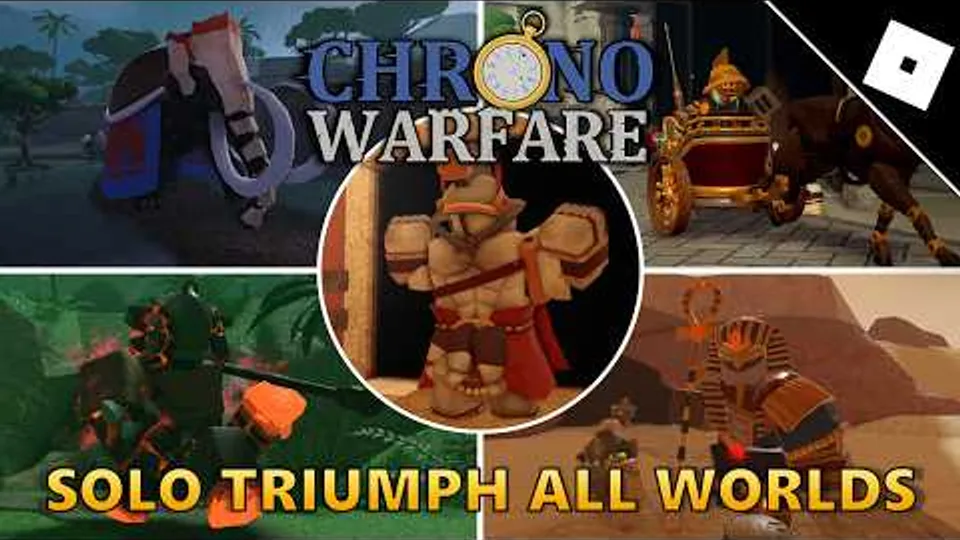
Patch notes for Chrono Warfare Tower Defense rarely arrive as a tidy Steam-style bulletin. BoringGames Studio ships a live Roblox experience marked unfinished, which means balance can change through small updates, Discord clarifications, or quiet tooltip edits. This guide teaches you how to read any announcement—especially nerfs and buffs to popular prehistoric DPS like archers and hunters—and convert it into tower choices without trusting outdated screenshots.
Start at Updates Hub for development context, then return here when a headline mentions towers, anomalies, or eras.
Where patch information actually appears
- Roblox game page update line — timestamp plus short description; always check on login
- Discord (linktr.ee/chronowarfare) — detailed reasoning, hotfixes, player reports
- Creator social posts — previews of modes or art that imply upcoming balance surfaces
- In-game tooltips — silent changes while the build remains in development
This wiki does not fabricate version numbers. When we summarize impact, we point you back to live verification—open the shop, read upgrade text, run one control map.
Anatomy of a balance patch
Most Chrono Warfare patches touch one or more layers:
| Layer | Example language | Your action |
|---|---|---|
| Tower damage or cadence | ”Adjusted Hunter” | Re-test runner waves in Prehistoric Times |
| Economy | ”Income towers” | Re-time wave-four upgrades |
| Support radius | ”Campfire range” | Rebuild placement screenshots |
| Anomaly HP or speed | ”Elite anomalies” | Update Anomalies Guide notes |
| Era or mode gates | ”Ancient Civilizations” | Re-read Eras & Maps |
| Quest towers | ”Pack Hunter” | Re-run quest steps privately |
When a patch mentions archers or hunters specifically, assume early-era farming strategies shift first—check Beginner Loadouts before expensive Ancient grinds.
Community-visible archer nerf — what to re-check
Archer-style ranged DPS appears in Stone Age overview videos, beginner guides, and solo triumph footage. Community discussion in August 2026 treats archer tuning as a live balance theme even when BoringGames Studio communicates through short Roblox blurbs instead of a full changelog. We do not quote exact nerf percentages—those drift and may differ between your public instance and a creator’s test branch.
Assume archers changed until you prove otherwise:
- Open the shop and read upgrade tooltip wording for archer lines—not last month’s screenshot.
- Run the same Prehistoric control map you used pre-patch; note wave numbers where leaks begin.
- Compare against hunter, pierce, or Forge Tower flex picks using role thinking from Forge Meta.
- Refresh co-op strats before Cursed Pit or Ice Age triumph attempts where ranged uptime matters.
- Watch the embedded post-nerf solo reference mid-article for pacing ideas, then validate in your client.
Soft archer nerfs often leave the unit viable with earlier upgrades or stronger support placement. Hard nerfs remove a breakpoint—demote archers in your personal tier notes until a compensating buff returns. If archers feel fine but teammates insist they are dead, compare login dates and patch timestamps before arguing in public servers.
Pair this section with Upcoming Eras only for teaser context—leak towers like Ironsmith or Accensus are unverified until tooltips appear in your live shop.
Colosseum post-rebalance — arena re-checks
Creator titles increasingly call out post-rebalance Colosseum and damageless triumphs. Arena wave scripts and economy breakpoints can move even when the Roblox blurb only says “balance adjustments.” After any Colosseum-related update:
- Clear a standard Rome Colosseum run before chasing zero-leak goals.
- Re-time ring upgrades one wave earlier if first leaks appear mid-loop.
- Use the Damageless Colosseum Guide as a skill ceiling checklist, not a guarantee that video placements match your instance.
- Compare notes with All Eras Solo if you cover the full arena alone.
Nerf vs buff — how to react
Soft nerfs slow a tower without killing its role. Keep the unit if it still solves a typing gap—swap only if another pick covers the same job cheaper after you re-check costs in-game.
Hard nerfs remove a breakpoint upgrade or gut synergy. Demote it in your personal Era Tower Rankings until a compensating buff returns.
Buffs tempt instant hype. Test on bosses, not just swarms—a bigger number that still leaks elites helps nobody.
Silent changes show up when community videos disagree with your tooltip. Trust your client; post timestamps in Discord if you find discrepancies.
Patch-day workflow (15-minute drill)
- Read the latest Roblox blurb and any Discord pin
- Note touched tower families (archer, hunter, support, economy, quest)
- Launch a private Prehistoric Times run with your old loadout
- Record wave numbers where feel changed—not exact DPS
- Adjust one slot at a time; do not rebuild entire accounts day one
- Update squad strats before pubbing in PVP Test or Cursed Pit
Multiplayer coordination after balance
Shared servers mean one player’s outdated build drags the team. After patches:
- Ping squadmates with the hub link to Updates Hub
- Split re-testing—one player validates economy, another validates boss flex
- Avoid trading rare items or currency based on pre-patch rumors
Online Roblox lag can mimic nerfs—confirm performance issues are not placebo before selling maxed towers.
Historical themes without fake changelogs
Community memory already associates prehistoric DPS with frequent tuning—archers and hunters appear in Stone Age overview videos and beginner guides, so they are natural balance levers. Support units that multiply neighbors can swing entire eras when radius changes. Quest towers like Pack Hunter may receive quest-step fixes separate from combat stats.
We avoid listing fabricated version histories. Instead, watch for pattern clusters: if two patches in a row touch the same role, invest elsewhere until the studio stabilizes.
Connecting patches to wiki pages
| If patch mentions… | Update your reading on… |
|---|---|
| Tower renames or unlocks | Towers Hub |
| Era gating | Eras & Maps |
| Enemy changes | Anomalies Guide |
| Shop UI | Controls & UI |
| Promo rewards | Codes — still none verified Aug 2026 |
Long-term tracking habit
Screenshot your loadout after each satisfied clear. When a patch drops, you compare feel against evidence—not memory. Pair technical reading with Review Tool if you write public feedback for BoringGames Studio.
Unfinished does not mean unprofessional—it means your plan must stay flexible. Patch literacy is the skill that keeps tier lists honest across Prehistoric Times, Ancient Civilizations, and every community mode name players throw around.
Frequently Asked Questions
Quick answers for Chrono Warfare Tower Defense players.
Where is the full official changelog?
There is no guaranteed standalone changelog URL. Combine the Roblox update line, Discord posts, and in-game tooltip checks.
Should I stop playing after a hunter or archer nerf?
Only if re-testing shows the role no longer clears content you farm. Soft nerfs often still work with support adjustments—run a control map before selling maxed towers.
How do I track archer nerfs without exact patch numbers?
Combine Roblox update lines, Discord pins, tooltip diffs, and one repeat Prehistoric run. Community videos lag hotfixes—trust your shop text first.
How fast does this wiki update after patches?
English master JSON updates after confirmed live behavior, followed by npm run sync and localization. Hotfixes may arrive before prose—trust the live client first.